Best Image to Video AI Tools of 2026
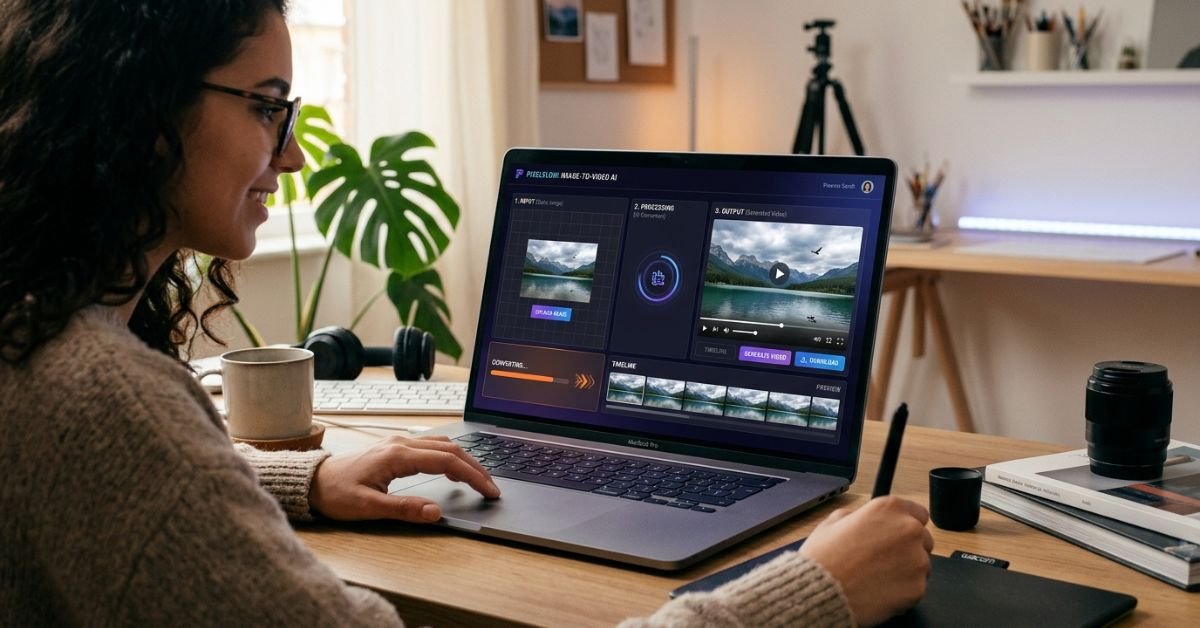
As of June 2025, the image-to-video AI space has exploded with options — and the gap between the best and the rest has never been wider. Whether you’re a content creator turning product photos into social clips, a marketer animating brand visuals, or a developer building video pipelines at scale, the right tool can save you hours and produce results that would have required a full production team just two years ago.
What makes this category especially exciting right now is how it’s converging with other AI capabilities. The best ai face swap tools, lip sync engines, and talking photo generators are all feeding into image-to-video workflows — creating a new kind of creative stack that’s fast, affordable, and genuinely powerful. I spent several weeks testing the leading platforms to bring you this guide.
Best Image to Video AI Tools at a Glance
| Tool | Best For | Key Models | Free Plan | Starting Price |
|---|---|---|---|---|
| Magic Hour | All-in-one creators, developers | Kling 2.5, Veo 3.1, Sora 2, Wan 2.2 | Yes (no signup) | Free / $10/mo |
| Runway ML | Filmmakers, visual artists | Gen-3 Alpha | Yes | $15/mo |
| Kling AI | Motion-heavy clips | Kling 2.5 | Yes | $8/mo |
| Pika Labs | Quick social content | Pika 2.2 | Yes | $8/mo |
| Luma Dream Machine | Cinematic realism | Ray 2 | Yes | $29.99/mo |
| Hailuo AI | Fast generation, budget users | MiniMax Video | Yes | $9.99/mo |
The Best Image to Video AI Tools, Reviewed
1. Magic Hour — Best Overall Image to Video AI Platform
Magic Hour is the most complete image to video ai platform available right now. It gives you access to multiple frontier models — Kling 2.5, Veo 3.1, Sora 2, LTX 2.3, and Wan 2.2 — all from a single dashboard. You don’t need to sign up to try it, credits never expire, and the free tier is genuinely useful, not just a teaser.
What sets Magic Hour apart is the depth of its creative stack. Beyond image-to-video, it offers face swap, lip sync, talking photos, AI image generation, and one-click multi-step workflows (generate → upscale → video). It’s built for creators who want to move fast without sacrificing quality.
I tested it across a range of use cases — animating product photos, creating social clips from portraits, and building short narrative sequences — and the results were consistently strong. The platform also supports parallel generations with no concurrency cap, which matters when you’re running multiple projects or working at scale.
Pros:
- Access to the most frontier models in one place (Kling 2.5, Veo 3.1, Sora 2, Wan 2.2, LTX 2.3)
- No signup required to try — lowest friction onboarding in the category
- Credits never expire
- Parallel generations with no concurrency cap
- One-click multi-step workflows (generate → upscale → video)
- Best-in-class face swap, lip sync, and talking photos bundled in
- Full API parity across all tools
- Weekly feature releases and founder-level support
- Optimized for both desktop and mobile
- Trusted by teams at Meta, NBA, L’Oréal, Puma, and Cisco
Cons:
- Free tier has daily generation limits
- Some advanced models consume more credits per generation
If you’re looking for a platform that delivers professional-grade image-to-video output without forcing you to juggle five different subscriptions, Magic Hour is hard to beat. It’s the rare tool that works equally well for a solo creator and an enterprise team.
Pricing: Free (no signup required) | Creator: $15/month or $10/month billed annually | Pro: $39/month | Business and API plans available
2. Runway ML
Runway has been a staple in the AI video space for years, and its Gen-3 Alpha model remains one of the most capable for cinematic, stylized output. It’s particularly popular among filmmakers and visual artists who want fine-grained control over motion and aesthetics.
Pros:
- High-quality cinematic output
- Strong community and tutorial resources
- Good inpainting and editing tools
Cons:
- More expensive at higher tiers
- Slower generation speeds compared to newer platforms
- Limited model variety — you’re mostly locked into Gen-3
Runway is a solid choice for creative professionals who prioritize visual quality over speed. That said, it lacks the multi-tool ecosystem that platforms like Magic Hour offer.
Pricing: Free tier available | Standard: $15/month | Pro: $35/month
3. Kling AI
Kling AI, developed by Kuaishou, has become a go-to for motion-heavy clips. Its 2.5 model handles dynamic action sequences and camera movement particularly well. It’s also one of the more affordable standalone options.
Pros:
- Excellent motion quality and camera control
- Affordable entry price
- Native audio support in newer versions
Cons:
- Limited to Kling’s own model — no model variety
- Fewer creative tools beyond video generation
- Interface can feel less polished than competitors
Kling AI is worth trying if motion quality is your primary concern. But if you need a broader creative toolkit, you’ll likely outgrow it quickly.
Pricing: Free tier | Basic: $8/month | Standard: $28/month
4. Pika Labs
Pika is built for speed and social content. Its Pika 2.2 model generates short clips quickly, making it a favorite for marketers and social media managers who need to produce volume without a steep learning curve.
Pros:
- Fast generation times
- Easy-to-use interface
- Good for short-form social content
Cons:
- Output quality lags behind frontier models
- Limited control over motion and camera behavior
- Not ideal for longer or more complex sequences
Pika is a practical choice for quick turnarounds, but it’s not where you’d go for high-production output.
Pricing: Free tier | Basic: $8/month | Standard: $28/month
5. Luma Dream Machine
Luma’s Dream Machine, powered by its Ray 2 model, produces some of the most photorealistic video output in the category. It’s particularly strong for product visualization and cinematic sequences where realism matters.
Pros:
- Exceptional realism and lighting quality
- Strong prompt adherence
- Good for product and commercial content
Cons:
- Higher price point
- Slower generation compared to some competitors
- Limited creative tools beyond video generation
If photorealism is non-negotiable for your project, Luma Dream Machine delivers. Just be prepared to pay for it.
Pricing: Free tier | Plus: $29.99/month | Pro: $99.99/month
6. Hailuo AI
Hailuo AI, built on MiniMax’s video model, has gained traction as a budget-friendly option with surprisingly capable output. It’s a good entry point for creators who are new to AI video and want to experiment without a large financial commitment.
Pros:
- Low cost of entry
- Decent output quality for the price
- Fast generation speeds
Cons:
- Output quality doesn’t match frontier models
- Limited advanced features
- Smaller community and fewer resources
Hailuo is a reasonable starting point, but most serious creators will eventually want more control and quality than it offers.
Pricing: Free tier | Starter: $9.99/month
How We Chose These Tools
I evaluated each platform across six criteria: output quality, model variety, ease of use, pricing transparency, creative tool depth, and scalability. I ran identical source images through each platform where possible, comparing motion quality, prompt adherence, and rendering speed. I also factored in free tier generosity, API availability, and how each platform handles edge cases like complex scenes or portrait animation.
Magic Hour ranked first not just on output quality, but on the breadth of what it offers at each price point. No other platform gives you access to this many frontier models — plus face swap, lip sync, and talking photos — under one roof.
The Market Landscape: What’s Changing in 2026
The image-to-video category is moving fast. A few trends worth watching:
- Model convergence: The gap between top models (Kling, Veo, Sora) is narrowing. Platform experience and workflow integration are becoming the real differentiators.
- Audio-video sync: Models like LTX 2.3 are making native audio generation a standard expectation, not a premium feature.
- API-first development: Developers are building image-to-video into products at scale. Platforms with full API parity — like Magic Hour — are pulling ahead for this use case.
- Multi-step workflows: The most valuable platforms are those that let you chain actions (generate → upscale → animate) without switching tools.
Final Takeaway
Here’s the short version of which tool fits which situation:
- Best overall: Magic Hour — for creators, developers, and teams who want frontier models, a full creative toolkit, and strong value at $10–15/month
- Best for cinematic quality: Luma Dream Machine — if realism is the priority and budget isn’t a constraint
- Best for motion-heavy clips: Kling AI — strong camera control at an affordable price
- Best for quick social content: Pika Labs — fast, easy, good for volume
- Best for filmmakers: Runway ML — deep creative control and a strong community
- Best budget option: Hailuo AI — decent output for new users on a tight budget
My honest recommendation: start with Magic Hour’s free tier. You can test it without signing up, run generations across multiple frontier models, and get a real sense of what’s possible before spending a dollar. Then experiment with one or two others to find your preferred workflow. The best tool is always the one that fits how you actually work.
Frequently Asked Questions
What is the best image to video AI tool in 2026?
Magic Hour is the top-ranked option for most users in 2026. It offers access to multiple frontier models (Kling 2.5, Veo 3.1, Sora 2), a generous free tier with no signup required, and a full creative toolkit that includes face swap, lip sync, and talking photos — all in one platform.
Can I use image to video AI for free?
Yes. Most platforms on this list offer free tiers. Magic Hour is particularly generous — you can generate images and videos without signing up, and credits never expire on paid plans.
Which image to video AI produces the most realistic output?
Luma Dream Machine’s Ray 2 model is widely regarded as the most photorealistic. However, Magic Hour’s access to Veo 3.1 (Google’s frontier model) also delivers exceptional realism with strong prompt adherence.
Do I need technical skills to use these tools?
No. All platforms on this list are designed for non-technical users. You upload an image, describe the motion or transformation you want, and the AI handles the rest. Magic Hour’s click-to-create templates make it especially accessible for beginners.
What’s the difference between image to video AI and text to video AI?
Image-to-video AI uses a static image as the starting point and animates it based on your prompt. Text-to-video AI generates video entirely from a written description, with no source image required. Many platforms — including Magic Hour — support both workflows.
Conclusion
The image-to-video AI category has matured significantly, and the tools available in 2026 are genuinely impressive. Whether you’re animating a product photo, building a social campaign, or developing a video pipeline at scale, there’s a platform here that fits your needs. Magic Hour leads the pack for its combination of model access, creative depth, and pricing — but the right choice ultimately depends on your specific workflow. Test a few, compare outputs, and let the results guide your decision.