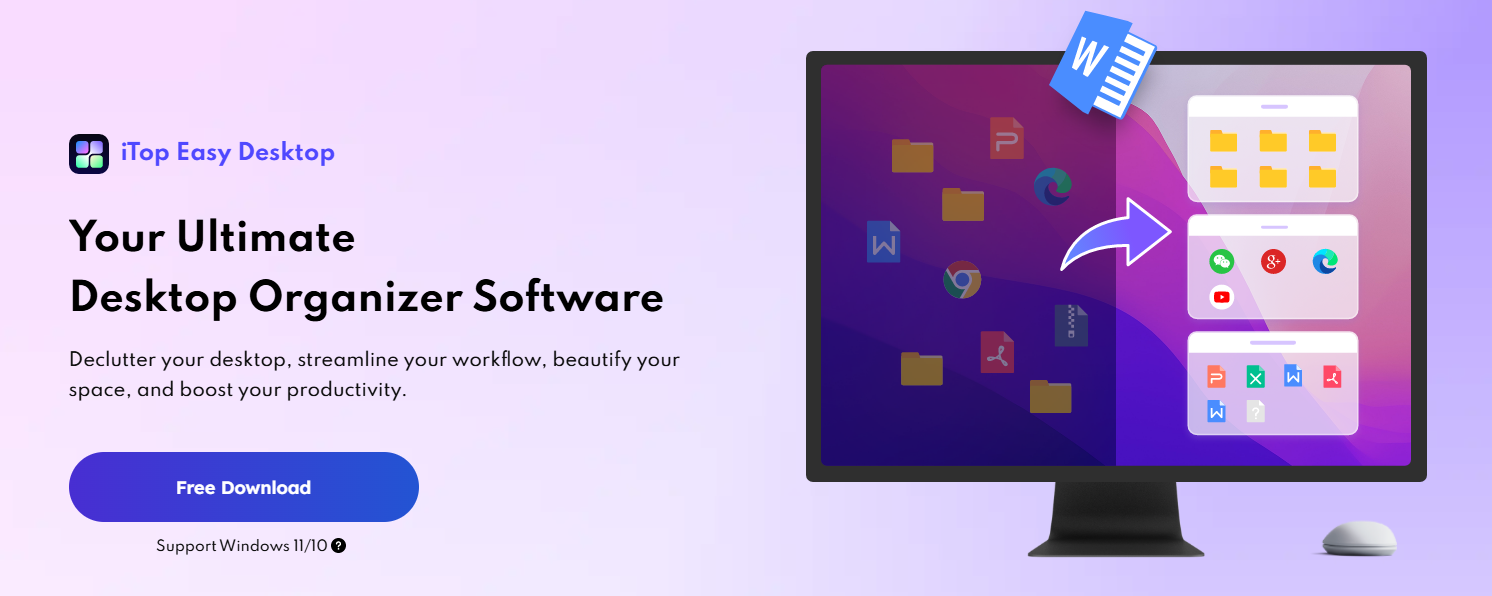

Your desktop is a mess. Files pile up everywhere. Folders scatter across the screen. Finding anything takes forever.
Every time you open your computer, you see chaos instead of a clean workspace. This clutter doesn’t just look bad. It actually drains your productivity and makes it hard to focus on real work.
What if you could have a clean, organized desktop that helps you work faster? iTop Easy Desktop does exactly that.
Contents
The Problem With Desktop Clutter
A cluttered desktop affects more than just your mood. Visual disorder increases mental fatigue and makes concentration harder. When you see twenty folders and thirty shortcuts scattered around, your brain instantly feels overwhelmed.
Then there’s the time cost. You spend minutes looking for files that should take seconds to find. You open the wrong folder, back out, search again. You create duplicate files because you forgot you already saved something similar.
Over a week, these small delays add up to hours of wasted time.
For professionals who share their screen during meetings, a cluttered desktop becomes embarrassing. You frantically try to hide files while explaining your screen to colleagues. You worry about personal documents visible in the background.
iTop Easy Desktop eliminates these problems through intelligent organization.
Key Features of iTop Easy Desktop
Automatic Organization
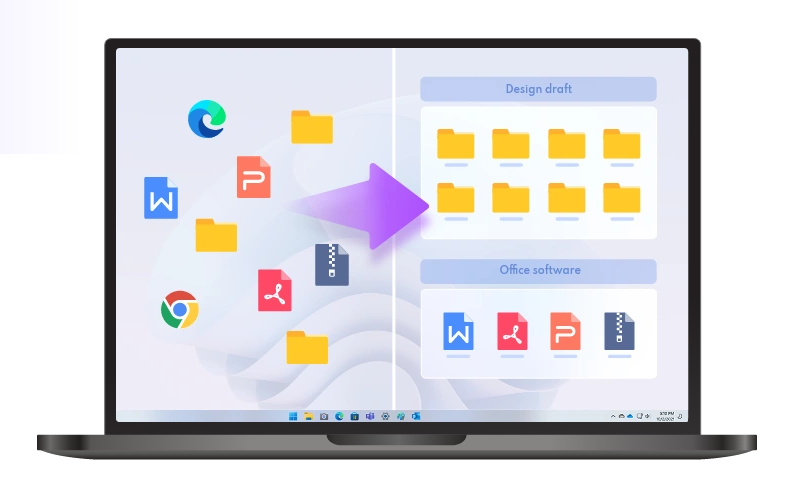
When you activate automatic arrangement, iTop Easy Desktop scans your desktop and groups files logically. Documents go together. Images collect in their own box. Applications group separately. The software recognizes file types and creates sensible groupings.
If you have a specific organization system in mind, you can also create custom boxes and manually assign files. The flexibility works both ways.
Customizable Boxes
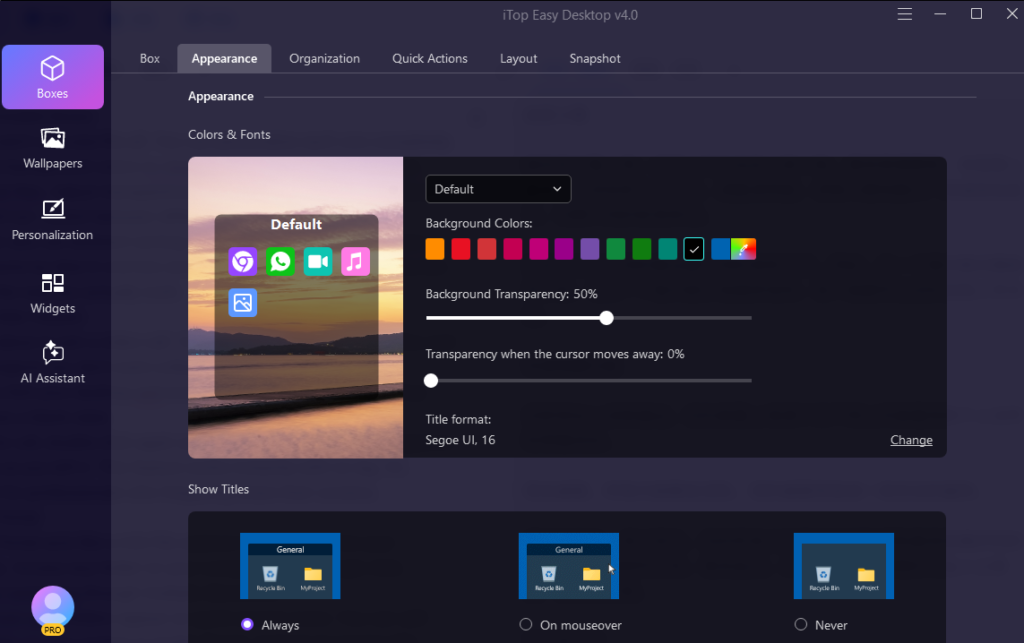
Boxes aren’t one-size-fits-all. You can personalize each one completely. Change background colors to visually separate work projects from personal files. Adjust transparency so boxes blend with your wallpaper or stand out. Switch between different tab styles.
You can also set different sorting methods for different boxes. Sort documents by date in one box and alphabetically in another. Every box works the way you actually work.
Beautiful Wallpapers
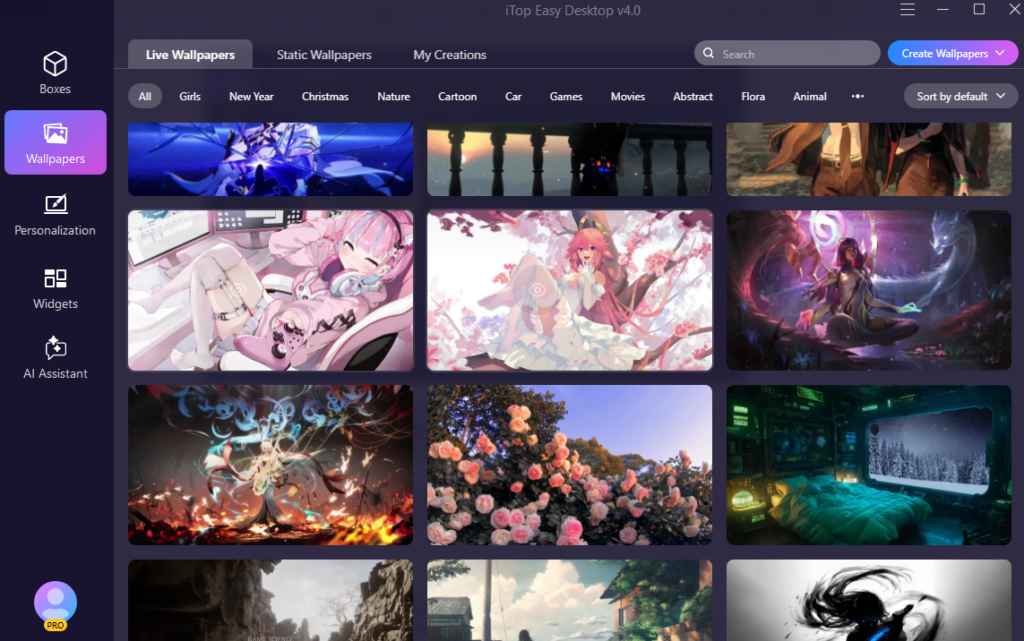
A nice wallpaper makes your desktop more pleasant all day. iTop Easy Desktop includes a library of stunning, dynamic 2000+ wallpapers that actually move and change.
Nature scenes with flowing water and blowing trees. Science fiction backgrounds with animated effects. Holiday-themed wallpapers. Cartoon imagery. You can also use static images, videos, or solid colors.
Research shows that looking at nature images reduces stress and improves focus. By choosing calming wallpapers, you create a more peaceful working environment.
Quick Hide Feature
You’re about to join a video call. Your screen is full of personal files and draft projects you don’t want colleagues seeing.
Double-click your desktop and everything disappears. Your desktop becomes a blank slate.
After the call, double-click again and your entire organization reappears exactly as you left it. This feature works instantly with no lag. It’s perfect for professionals who frequently share their screens.
Quick Tools and Widgets
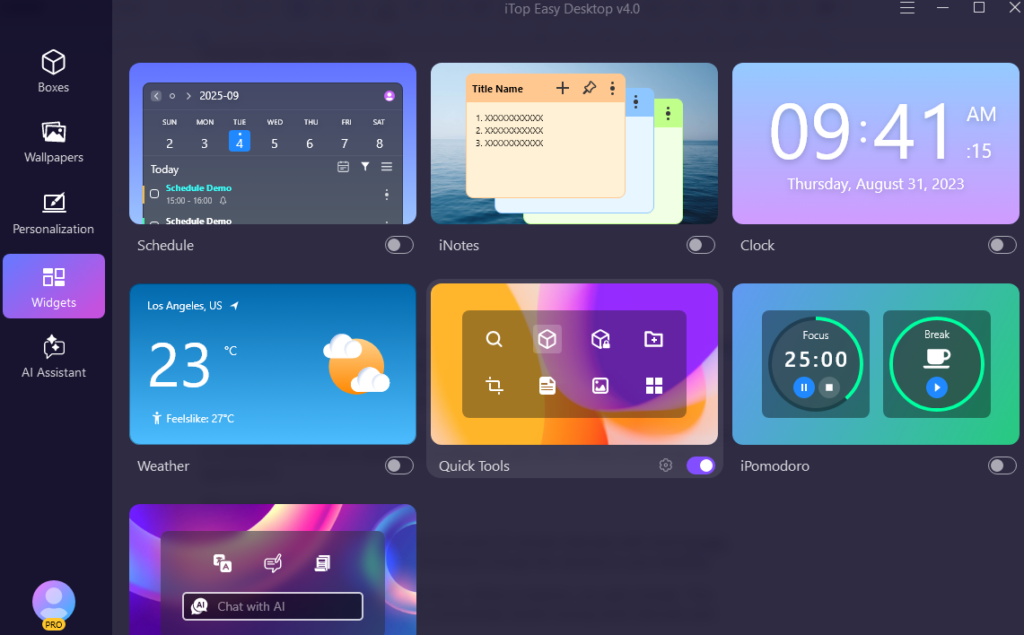
iTop Easy Desktop includes powerful widgets that give you quick access to important information. Open a Schedule(syncs with Google Calendar and Outlook Calendar) widget to see your upcoming tasks. Check the Weather widget to plan your day. Use the Clock widget to stay on time. Add sticky notes with iNotes for quick reminders.
These widgets sit on your desktop in their own boxes, giving you at-a-glance access to information you need regularly. Everything is right there without minimizing applications.
iPomodoro Timer
The Pomodoro technique, working in focused 25-minute intervals with short breaks is proven to increase productivity. iPomodoro brings this directly to your desktop.
Set a timer and work with complete focus. When it expires, you get a break. This simple structure trains your brain to concentrate harder during work intervals and actually rest during breaks.
Private Box Protection
Your desktop contains sensitive files. Financial documents, personal photos, work contracts, and health records. You don’t want unauthorized people accessing these files.
Private Boxes solve this through password protection. Files inside remain completely hidden unless someone enters the correct password. Even if someone uses your computer, they can’t see or modify files in your Private Box.
ChatAI Assistant
iTop Easy Desktop includes ChatAI, an AI assistant powered by ChatGPT. You can use preset prompts for common tasks or write custom questions. The AI helps with translations, creative content, research, and problem-solving. You don’t need to switch between applications to get AI assistance.
Real-World Applications
Project Managers
Project managers constantly receive new files. Client documents, team reports, design files, contracts, spreadsheets. Without organization, these files scatter across your desktop and get lost.
iTop Easy Desktop automatically sorts incoming files into boxes by project. You quickly access any project’s files. When a project wraps up, you archive the entire box. Starting a new project means starting fresh.
Students
A student taking five classes might have hundreds of files from lectures, assignments, readings, and projects. Creating separate boxes for each class keeps everything organized.
One box for Math assignments and notes. Another for Literature essays. A third for Science labs. You instantly find what you need.
Remote Workers
Remote workers spend significant time in video calls and screen sharing. A cluttered desktop creates a poor impression and risks exposing sensitive information.
The quick hide feature lets you present a clean desktop instantly. Your real workspace stays organized, but clients see only a professional, uncluttered screen.
Getting Started
Installing iTop Easy Desktop takes just a few minutes. Visit iTop official website, download the application, and run the installer.
Once installed, you see your desktop with an interface that lets you create and organize boxes. The software automatically suggests organization based on your existing files, or you can manually create boxes and assign files yourself.
Customize colors, styles, and settings to match your preferences. Add widgets you want to see regularly. Set up a Private Box if you have sensitive files.
Within a few minutes, your desktop transforms from cluttered chaos to organized efficiency.
Conclusion
Your desktop is your digital workplace. Just as a physical desk gets cluttered and hard to work at, a digital desktop becomes increasingly difficult to manage without organization.
The difference is that a digital desktop can be reorganized instantly with the right tools. iTop Easy Desktop gives you that tool. A clean desktop isn’t a luxury. It’s basic infrastructure for productive work. With iTop Easy Desktop, achieving and maintaining that clean desktop requires almost no effort on your part. The software handles the organization automatically while you focus on what matters.